


We’ve got a fresh batch of upgrades for how your team handles email in Slack — and every one of them is about spending less time on busywork. Your task updates now save themselves, and each email in your channel gets a new Options menu and a one-click delete that keep Slack and your inbox tidy together.
Task updates save themselves
Say goodbye to the Save button. Pick an assignee or change a status on any email, and it’s saved the moment you choose it — the message updates in place, so everyone in the channel sees the change instantly. Assign a teammate and they get a friendly DM with a link to the email, so nothing sits unnoticed.
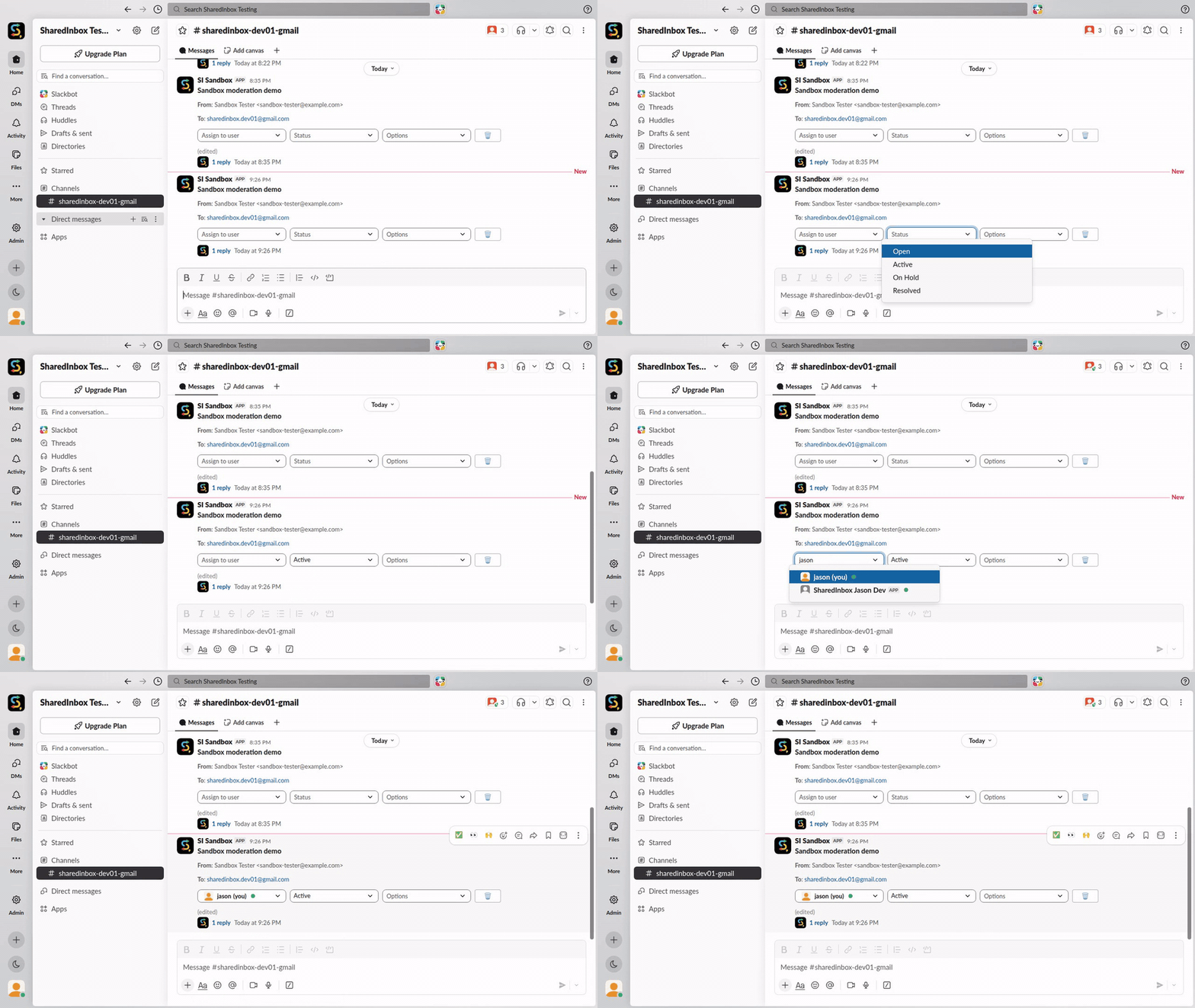
Meet the Options menu
Right next to the assignee and status dropdowns you’ll find a new Options menu with two handy actions:
- 📅 Set due date — pops open a date picker so you can put a deadline on any email.
- 🚫 Mark as spam — moves the email to your inbox’s Spam folder and clears it out of Slack, after a quick confirmation.
Sharp-eyed users will notice the due-date picker moved here from the main row — tucking it into Options keeps each email’s controls clean and uncluttered, and gives us room to grow: we’re planning to add more handy actions to this menu soon. Watch this space! 👀
Delete emails without leaving Slack 🗑️
Spot the new trash-can button at the end of the row. One click, one confirmation, and the email is moved to your mailbox’s Trash folder — and the Slack message disappears too.
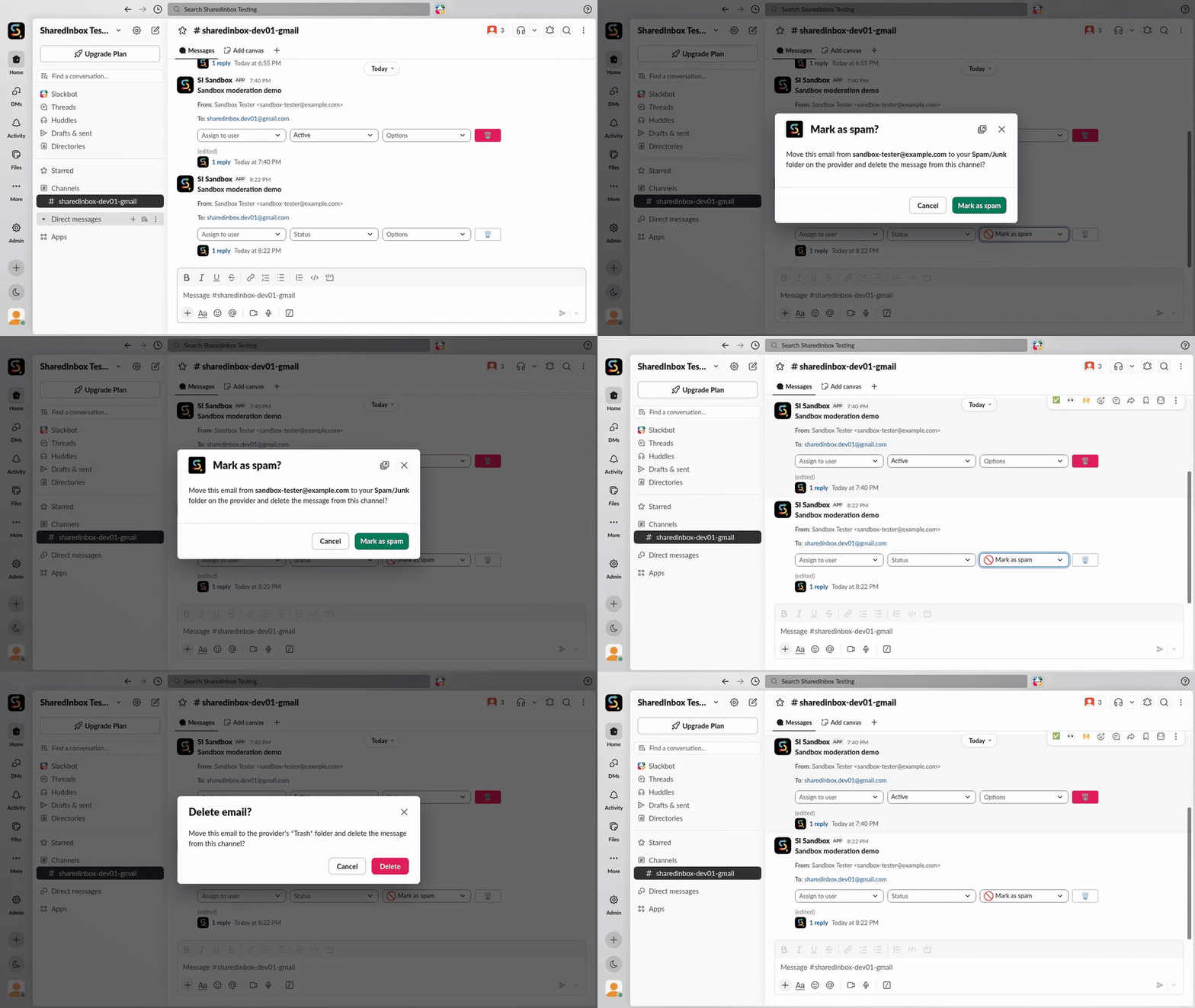
The best part: this isn’t just hiding the message in Slack. SharedInbox does the same thing in your connected mailbox — Gmail, Outlook, or any inbox you’ve connected — exactly as if you’d done it in your email client. Slack stays clean, your inbox stays in sync, and there’s no “deleted in one place, still there in the other” confusion.
As always, keep the feature requests and feedback coming — this whole release started as customer suggestions. We’d love to hear from you.