


A lot has landed since our last update, and most of it came straight from your requests. You can now forward any email without leaving Slack, write emails with bold, lists and links, and incoming mail looks cleaner in your channels. We also did a lot of quiet work so fewer emails go missing, and so you hear about it when something needs your attention.
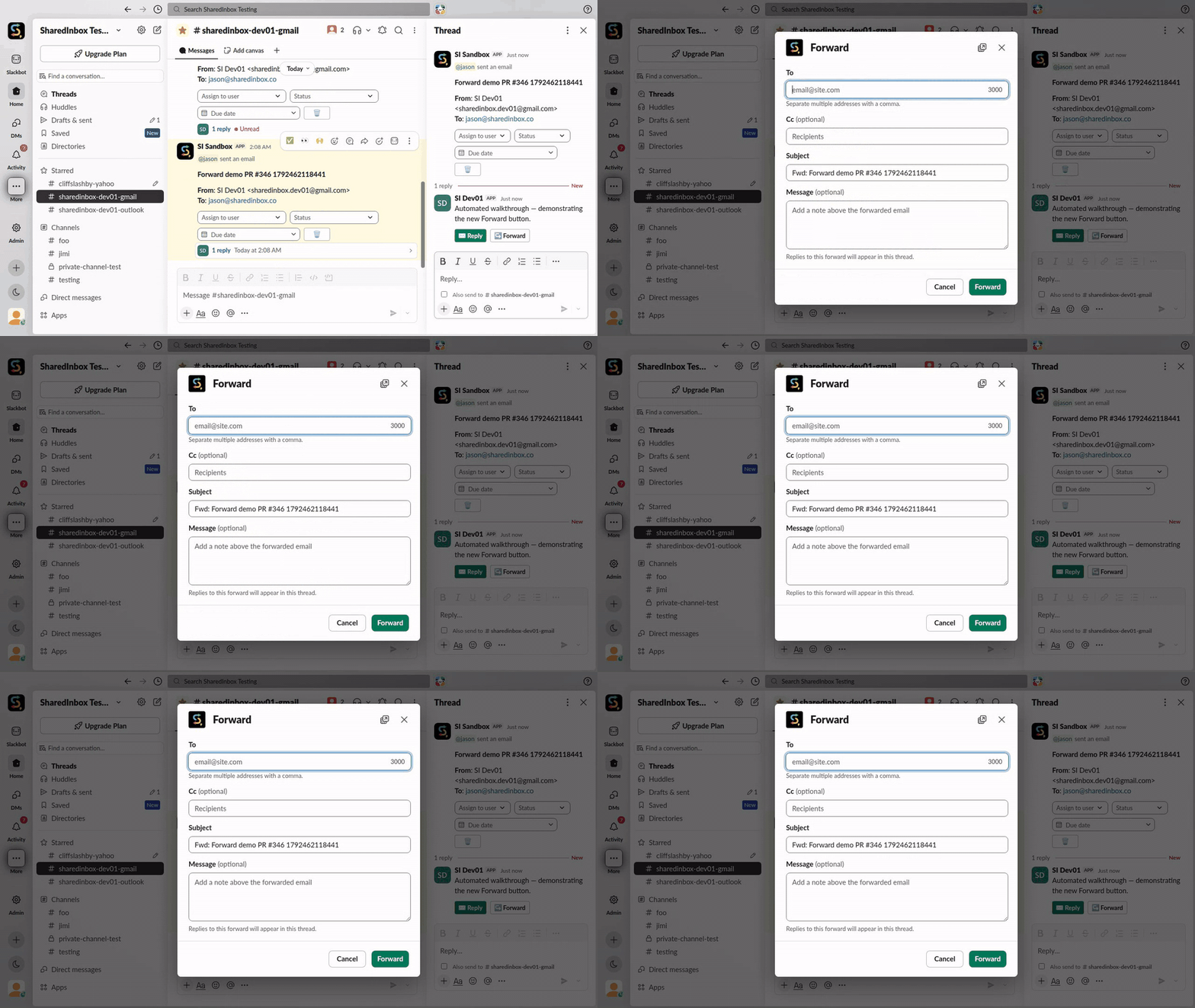
Forward an email from Slack
Every email in your channel now has a Forward button right next to Reply. Click it, add who it’s going to (and anyone to Cc), drop in a quick note if you like, and send. The original email’s attachments go along with it.
Format your emails
The message box in Compose, Reply, Reply All and Forward now has the same formatting toolbar as Slack’s own message box. Use it to add:
- Bold, italic and
strikethrough - Links with their own text, instead of a long pasted URL
- Bulleted and numbered lists
- Quotes and code blocks
Your recipient gets a properly formatted email, and the copy posted in your Slack thread looks the same. Long emails are trimmed in Slack to keep the thread readable, with a View in Browser button to see the whole thing.
Incoming mail looks better in Slack
We went through a pile of real-world emails and fixed the things that made them hard to read:
- Links show their text, not a long tracking URL.
- Sentences no longer break in odd places halfway across a line.
- Long emails and long attachment lists come through in full instead of getting cut off.
- Image-only links (like a “Track your order” button) get a readable label.
Fewer missed emails, clearer warnings
- Emails that move fast still arrive. If an email gets moved out of your inbox seconds after it lands, maybe by a filter, SharedInbox now finds it and still posts it to Slack. If it was moved to Trash or Junk, we take that as a “no thanks” and leave it alone.
- A heads-up when Slack can’t get your mail. If an inbox’s Slack channel gets archived or deleted, your dashboard now shows a clear warning and how to fix it.
- One message when a password stops working, not hundreds. If we can’t sign in to your mailbox for a while, we pause that inbox and tell you once. Save the new password in Settings and it picks right back up.
- Better Outlook support. Delete and Mark as spam now work for Outlook inboxes too, and there’s a Reconnect button in an inbox’s settings if Microsoft ever asks you to sign in again.
As always, thanks for the ideas and the bug reports — keep them coming. We’d love to hear from you.